





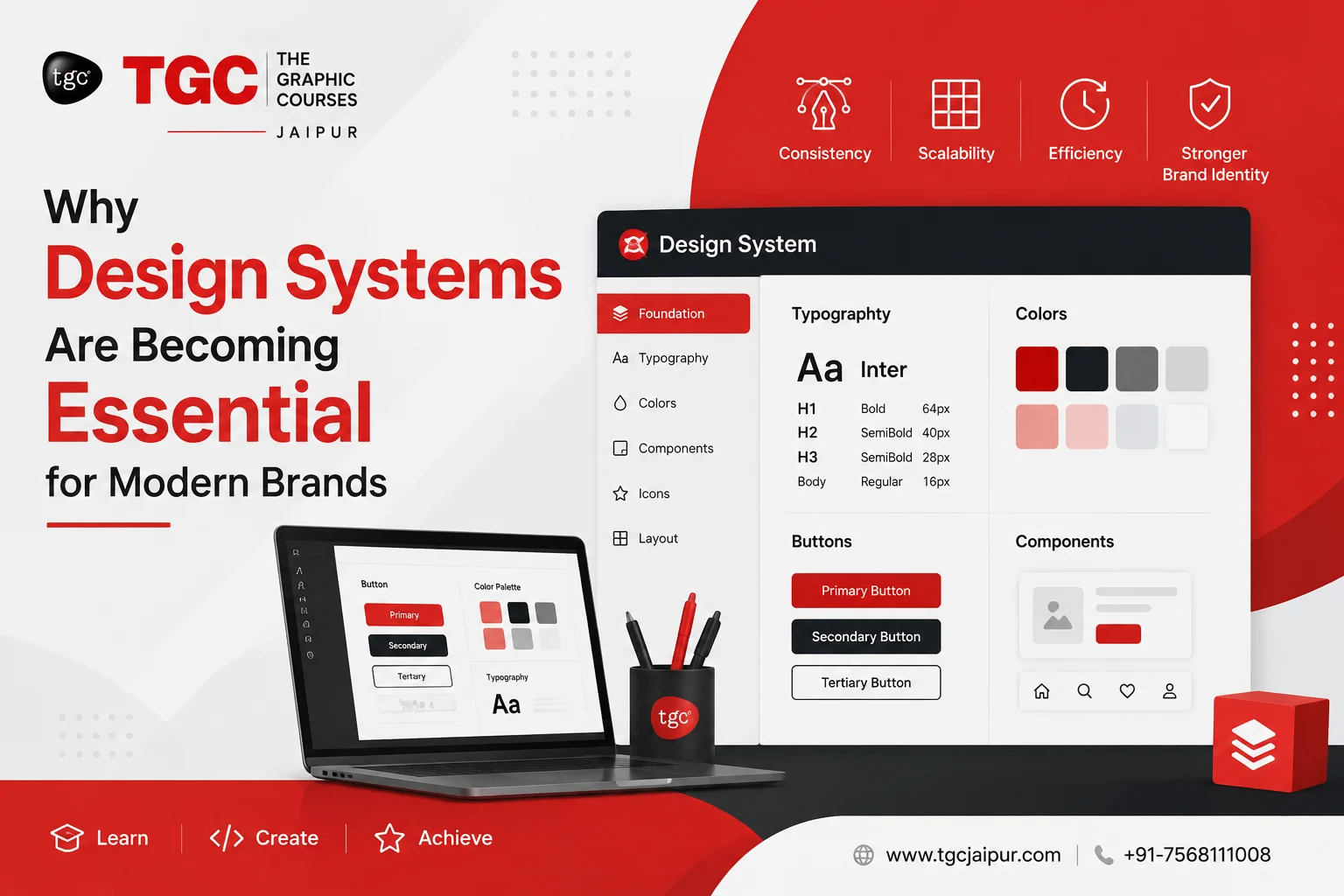
Why Design Systems Are Becoming Essential for Modern Brands
A TGC Jaipur Graphic Design Insight
Walk into any successful brand’s digital presence today — their website, app, social media, packaging, ads — and you’ll notice something: everything just fits. The colors feel intentional. The typography feels consistent. The buttons, icons, and layouts feel like they belong to one coherent story, no matter where you encounter them. That’s not luck. That’s a design system at work.
If you’re a design student, a freelancer, or someone exploring a career in graphic design, understanding design systems isn’t optional anymore — it’s fast becoming one of the most in-demand skills in the industry. Let’s break down what design systems actually are, why brands can’t seem to live without them, and why this is exactly the kind of skill you should be building right now.
What Exactly Is a Design System?
A design system is far more than a style guide or a logo file. It’s a living, structured library of design standards, reusable components, typography rules, color palettes, spacing guidelines, and documentation — all working together so that every designer, developer, and marketer on a team can create consistent, on-brand experiences without reinventing the wheel every single time.
Think of it as the DNA of a brand’s visual identity. Once it exists, anyone touching the brand — whether they’re designing a mobile app screen or a festive Instagram post — pulls from the same source of truth.
A design system usually isn’t one single file — it’s a collection of interconnected parts that work together. Here’s a quick breakdown of what typically goes into one:
| Component | What It Includes | Why It Matters |
Brand Guidelines | Logo usage, brand voice, tone, imagery style | Keeps the brand’s personality consistent everywhere |
Color Palette | Primary, secondary, and accent colors with hex/RGB codes | Ensures visual consistency across every platform |
Typography | Font families, sizes, weights, line spacing | Maintains readability and brand tone in all content |
UI Components | Buttons, forms, cards, navigation bars, icons | Speeds up design and development with reusable parts |
Spacing & Grid System | Margins, padding, layout grids | Creates visual balance and alignment across screens |
Documentation | Usage rules, do’s and don’ts, accessibility notes | Helps every team member apply the system correctly |
Once these pieces are documented and organized, they become a toolkit — not a one-time design, but a growing resource that evolves with the brand.
Design System vs. Style Guide: What’s the Difference?
Many beginners confuse a style guide with a full design system. They’re related, but not the same thing. Here’s how they differ:
| Aspect | Style Guide | Design System |
Scope | Visual rules only (colors, fonts, logo usage) | Visual rules + functional components + code/documentation |
Format | Usually a static document or PDF | A living, evolving library (often digital, in tools like Figma) |
Used By | Mostly designers and marketers | Designers, developers, product managers together |
Updates | Rarely updated once created | Continuously updated as the brand and product grow |
Purpose | Keeps visuals consistent | Keeps the entire brand experience consistent and scalable |
In short: a style guide tells you what things should look like. A design system gives you the actual building blocks to create them — ready to use, again and again.
Why Every Modern Brand Needs One
1. Consistency Builds Trust
Customers today interact with brands across dozens of touchpoints — websites, apps, social platforms, emails, print ads. When a brand looks and feels different across each of these, it creates confusion and weakens recall. A design system ensures the same fonts, colors, iconography, and tone show up everywhere, building the kind of visual trust that turns casual viewers into loyal customers.
2. It Saves Time (and Sanity)
Without a design system, every new project starts from scratch — picking colors again, resizing buttons again, second-guessing spacing again. With a design system in place, designers work with pre-approved components, dramatically cutting down production time. This is exactly why agencies and in-house teams are prioritizing designers who understand systems thinking, not just single designs.
3. It Scales With the Brand
A startup with three pages today might have thirty screens and five product lines tomorrow. Design systems are built to scale. As a brand grows, new pages, apps, and campaigns can be built quickly because the foundational rules are already documented and ready to use.
4. Better Collaboration Between Teams
Design systems act as a shared language between designers, developers, and marketers. Instead of long email threads clarifying “which blue is our blue,” everyone works off the same component library. This dramatically reduces miscommunication and speeds up handoffs between design and development.
5. Stronger, Smarter Branding
A well-built design system doesn’t just standardize visuals — it protects brand identity. It ensures that even as different people work on different projects over the years, the brand’s personality never gets diluted or inconsistent.
Real Brands That Prove the Point
Some of the world’s most recognizable brands owe their visual consistency to well-built design systems. Here are a few well-known examples design students often study:
| Brand | Design System Name | What Makes It Notable |
| Material Design | One of the most widely adopted systems, used across web, Android, and countless third-party apps | |
| Atlassian | Atlassian Design System | Built for consistency across Jira, Trello, Confluence, and more |
| IBM | Carbon Design System | Focuses heavily on accessibility and enterprise-scale consistency |
| Shopify | Polaris | Helps thousands of third-party app developers match Shopify’s look and feel |
| Airbnb | Airbnb Design System | Known for balancing warmth and functionality across web and mobile |
Studying how these systems are structured is a great way for design students to understand how theory translates into real, large-scale brand execution.
How Brands (and Beginners) Can Start Building One
You don’t need to be a Fortune 500 company to benefit from systems thinking. Even a small brand or a student project can follow this simple process:
| Step | What to Do |
| 1. Audit | Collect all existing brand assets — logos, colors, fonts, old designs — and identify inconsistencies |
| 2. Define Foundations | Lock in your color palette, typography, spacing rules, and logo usage guidelines |
| 3. Build Components | Design reusable elements: buttons, cards, headers, icons, forms |
| 4. Document Everything | Write clear usage rules so anyone can apply the system correctly |
| 5. Test Across Platforms | Apply the system to a real website, app screen, or social post to check consistency |
| 6. Iterate | Update and expand the system as the brand grows or new needs appear |
This is precisely the kind of hands-on process students practice through guided projects — turning design theory into a portfolio-ready skill.
Common Mistakes Beginners Make With Design Systems
Even experienced designers can slip up when building their first system. Watch out for these common pitfalls:
- Treating it as a one-time task — Design systems need regular updates as brands evolve.
- Skipping documentation — Without clear rules, even a great component library becomes inconsistent in practice.
- Overcomplicating it early on — Start with core basics (color, type, spacing) before adding dozens of components.
- Not testing across real use cases — A system that looks good in theory can break down on an actual webpage or app screen.
- Ignoring accessibility — Color contrast, font readability, and inclusive design should be built in from the start, not added later.
Where This Fits Into Your Graphic Design Career
Here’s the real takeaway for design students: clients and companies aren’t just hiring people who can “make things look nice” anymore. They’re hiring designers who understand structure, scalability, and systems thinking — people who can build a visual language, not just a single visual.
Learning design systems teaches you to think like a brand strategist and a designer at once. It’s a skill that separates entry-level designers from the ones who get hired by top studios, product companies, and branding agencies.
Learn This Skill (and More) at TGC Jaipur
At TGC Jaipur, our Graphic Design courses are built around exactly these kinds of real-world, industry-relevant skills. From branding fundamentals to typography, color theory, and modern design thinking — including how to build and apply design systems — we prepare students to walk into the design industry with confidence, not just a portfolio.
If you’re serious about becoming a designer brands actually want to hire, this is the skill set to start building today.
Ready to build a career in design that actually keeps up with the industry? Explore the Graphic Design course at TGC Jaipur and start creating with purpose.
Recently Added Articles
.webp)





 Book A Free Demo
  7568111008
 Apply Now


 Please select course category